

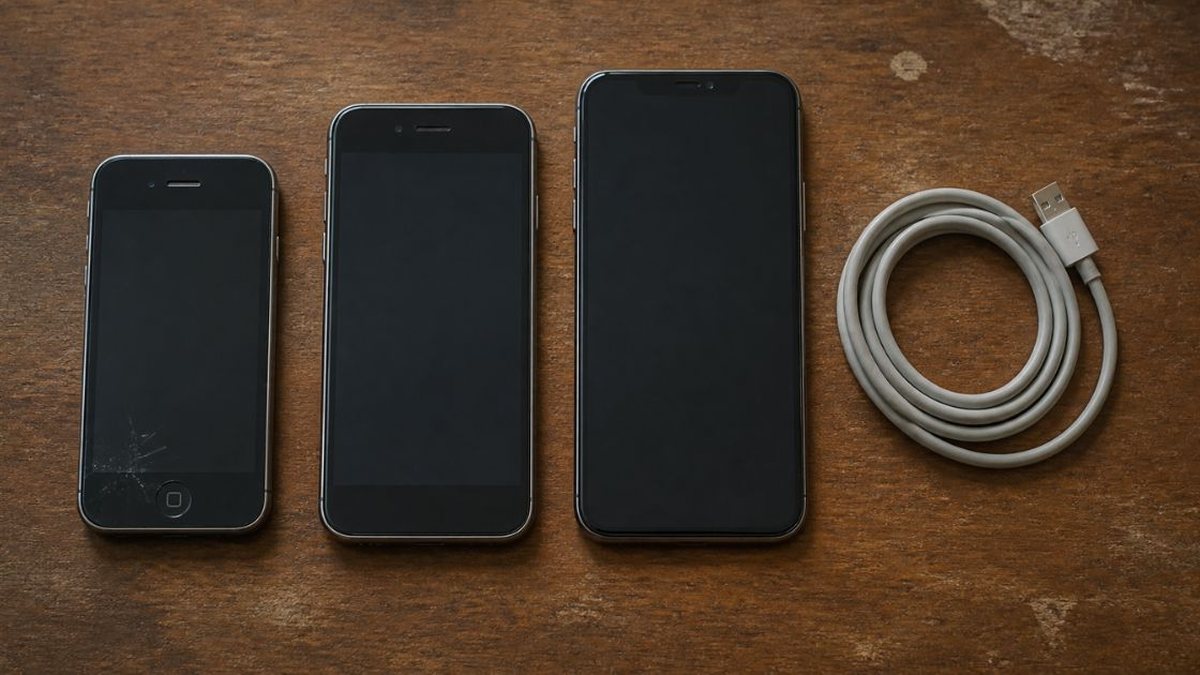
Short answer: how long do iPhones last? Longer than their batteries. Apple designs the battery to keep 80% of its capacity for 500 full cycles on iPhone 14 and earlier, or 1,000 on iPhone 15 and later. Software support runs longer: the 2019 iPhone 11 still runs iOS 27. Apple stops hardware repairs once a model has been off sale for more than 7 years. The phone is finished when the first of those clocks runs out and you decide not to pay to reset it.
Most answers give a single number of years. That hides the fact that a phone wears out in three ways, on three timetables, and that one of them can be reset for a fee while the others cannot.
How long do iPhones last? Three lifespans, not one
Each row below is a different kind of ending, with a different fix and a different source.
| Lifespan | What runs out | Figure | Can you reset it? | Source |
|---|---|---|---|---|
| Battery | Capacity and peak power | 80% capacity at 500 complete cycles (iPhone 14 and earlier) or 1,000 (iPhone 15 and later), under ideal conditions | Yes: a battery replacement | Apple battery support pages |
| Software | Major iOS versions, then security patches | iPhone 11 (2019) and later run iOS 27; security updates for at least 5 years from first supply in Apple's UK compliance statements, as reported | No | Apple iOS 27 and security release pages; UK PSTI regime |
| Hardware service | Apple repairs and parts | "Vintage" 5 to 7 years after Apple stopped selling it; "obsolete" after 7, when service providers can no longer order parts | Only through independent repair after that | Apple vintage and obsolete policy |
| Design assumption | Nothing; it is an estimate | 3 years of use time assumed for an iPhone | Not applicable | iPhone 17 Product Environmental Report |
The last row is often quoted as Apple's "expected lifespan". It is not a promise. It is the use period Apple feeds into its carbon accounting, based, the report says, on usage patterns of historically similar products. It describes typical use, not how long the phone can work.
The column that matters is the fourth. A worn battery is a repair; an expired iOS is not. Software support is the hard ceiling for most people, and the battery the usual early reason to give up on a phone that could keep going.
Battery: the clock you can reset
Apple defines battery lifespan as "the amount of time a battery lasts until it needs to be replaced". A battery's chemical age, in Apple's wording, includes charge cycles and how the battery was cared for, not just time. As it ages it holds less charge and delivers peak power less well.
The rating changed with the iPhone 15. Apple says iPhone 14 models and earlier are designed to retain 80% of their original capacity at 500 complete charge cycles, and iPhone 15 models and later at 1,000, both "under ideal conditions", with real results depending on use and charging.
As an illustration only, at one full cycle a day 500 cycles arrive in about 16 months and 1,000 in about two years and nine months. Many people use less than a full battery a day; heavy navigation, video or hotspot use burns more. Heat matters too: Apple advises against charging or leaving an iPhone in hot places, including direct sun, for long periods.
Reaching 80% does not stop the phone. A phone that lasted a full day now runs out in the evening. The more unpleasant effect is on peak power, covered under the warning signs below.
Where to check. On iPhone 15 and later with iOS 17.4 or later, Settings > Battery > Battery Health shows maximum capacity and the cycle count. On iPhone 11 to 14, Settings > Battery > Battery Health & Charging shows maximum capacity and peak performance capability, without cycles. Both can say when a replacement is recommended.
Cost and coverage. Apple's battery service page quotes prices by model; they did not load when this article was checked, so none is given. With AppleCare, Apple says it replaces the battery at no extra charge "if the capacity drops below 80%". The standard limited warranty does not cover wear from normal use.
Software: the clock you cannot reset
An iPhone's software life has two stages. It gets each new major iOS; then, once dropped, it may receive security fixes on an older version for a while. When both stop, the phone still works, but it gradually loses current apps and should no longer be trusted with sensitive data.
Apple's iOS 27 page, published September 17, 2026, lists compatible iPhones back to the iPhone 11 series and the iPhone SE (2nd generation and later). Apple dates the iPhone 11 to 2019, so a seven-year-old phone is on the current iOS. The 2018 iPhone XS, XS Max and XR are not on the list.
| Model | Year introduced | Runs iOS 27? | Latest security release listed for it | Apple service status |
|---|---|---|---|---|
| iPhone 17 family, Air, 17e, 18 Pro | 2025–2026 | Yes | iOS 27.0.1 (Sep 28, 2026) | In service |
| iPhone 16, 16e | 2024–2025 | Yes | iOS 27.0.1 | In service |
| iPhone 15 | 2023 | Yes | iOS 27.0.1 | In service |
| iPhone 14, SE (3rd gen) | 2022 | Yes | iOS 27.0.1 | In service |
| iPhone 13 | 2021 | Yes | iOS 27.0.1 | In service |
| iPhone 12, SE (2nd gen) | 2020 | Yes | iOS 27.0.1 | In service |
| iPhone 11 | 2019 | Yes | iOS 27.0.1 | 11 in service; 11 Pro and Pro Max vintage |
| iPhone XS, XS Max, XR | 2018 | No | iOS 18.7.10 (Aug 17, 2026) | XS and XS Max vintage |
| iPhone X | 2017 | No | iOS 16.7.16 (May 11, 2026) | Obsolete |
"In service" means not on Apple's vintage or obsolete lists as of October 2026. Years are from Apple's "Identify your iPhone model" page, compatibility from its iOS 27 page, and releases from its security releases page.
Two things stand out. The tail is long: Apple's log lists an iOS 12 security release in January 2026 for the iPhone 5s, 6 and 6 Plus, phones it classes as obsolete. Such late patches are occasional, and Apple does not say they fix everything the current iOS does. And the clocks do not run in order: the iPhone 11 Pro runs the current iOS while Apple already lists it as vintage for repairs.
The formal commitment is shorter than the track record
The formal promise comes from UK law. Under the Product Security and Telecommunications Infrastructure regime, in force since April 29, 2024, makers of internet-connectable products must publish the minimum period for security updates, with an end date. The Apple compliance statement we could read, for an iPad Pro, gives a defined support period of a "minimum 5 years from the first supply date", and 2024 press coverage reported the same wording in the statement for the iPhone 15 Pro Max, with a first supply date of September 22, 2023. If that holds, that model's floor is September 2028. We could not open Apple's iPhone statement itself.
The EU counts from a later point. Regulation (EU) 2023/1670, applying from June 20, 2025, requires free operating system updates, security and functionality alike, "from the date of end of placement on the market to at least 5 years after that date". The clock starts when the last unit of a model is sold, so a model on sale for two years would be covered for about seven years from launch. Older iPhones fall outside the rule.
What "unsupported" means in practice
A phone without security updates keeps calling, photographing and running installed apps. Two things erode. Known vulnerabilities stay open, which matters most for money, passwords and work accounts. And each developer decides which iOS versions its app supports; as minimums rise, an old phone first stops getting app updates, then cannot install some apps at all. Banking, payment and workplace apps are often the first people notice. There is no published date for this, which is why "my banking app stopped working" is so often the real end of an iPhone with a decent battery and an intact screen.
Hardware: the clock set by the parts bin
Apple calls a product vintage when it stopped distributing it for sale more than 5 and less than 7 years ago; service and parts may continue for up to 7 years, "subject to parts availability". It is obsolete after more than 7 years, when Apple discontinues hardware service and service providers cannot order parts. The clock runs from the last sale, not the launch, so a phone bought late in its sales life has more repair years left than its launch year suggests.
Apple's list of October 14, 2026 puts the iPhone 8, XS and XS Max, and 11 Pro and 11 Pro Max among vintage iPhones; the iPhone X and first iPhone SE are obsolete.
Physical wear keeps its own timetable: cracked screens, lint-filled ports, failing buttons. One kind is invisible. Apple states that splash, water and dust resistance "are not permanent conditions and resistance might decrease as a result of normal wear", and that liquid damage is not covered under warranty.
The EU rule sets a floor here too. Spare parts must stay available for at least 7 years after the end of placement on the market, delivered within 5 working days for the first five years and 10 for the last two. Batteries must manage at least 800 cycles at 80% remaining capacity, below the 1,000 Apple claims for iPhone 15 and later.
Can an iPhone last 5 years?
Yes, and recent models should manage it comfortably. Every iPhone from 2019 onward runs iOS 27, so five years of software is now the low end of Apple's record, and Apple's UK compliance statements, as reported, set five years as a floor. What usually stands in the way is the battery, which is fixable: one replacement, plus a case and screen protector, is what turns a three-year phone into a five- or six-year one.
For context, the European Commission expects its smartphone rules to raise the average lifetime of a mid-range smartphone from 3.0 to 4.1 years. That is a modeled figure across all brands, not a survey of iPhone owners, and its starting point matches the three years Apple assumes.
By model, as of October 2026. The iPhone 13 (2021) and 14 (2022) are on the current iOS, with batteries rated for 500 cycles, so many are at their first replacement point. The iPhone 15 (2023) is the first rated for 1,000 cycles, with the adjustable charge limit and cycle count on screen; its reported UK security floor runs to September 2028. The iPhone 16 (2024) and 17 (2025) share those features; on the iPhone 11's record they can expect at least seven years of iOS, though that is a track record, not a commitment.
How do you know when your iPhone is dying?
The signs point to different clocks.
Battery. Unexpected shutdowns are the clearest sign; Apple says they are more likely at a low state of charge, and cold raises the chance temporarily. To prevent them, iPhones apply performance management as the battery ages. On iPhone 11 and later Apple calls it automatic and always on, with possible effects including longer app launch times and lower frame rates; on older models it lists backlight dimming, lower speaker volume and a disabled camera flash in more extreme cases. A sluggish phone that drains fast may just need a battery.
Software. A new iOS appears and your phone is not offered it; apps ask for an iOS you cannot install; a banking or work app stops updating.
Hardware. Charging only at certain cable angles, lines on the screen, buttons that need several presses. Before paying for a repair on an older model, check Apple's vintage list.
At what point should you replace an iPhone?
Replace the battery, not the phone, if battery health recommends service or shows capacity near 80%, the phone runs the current iOS, and the hardware is intact. It is the cheapest of the three fixes.
Replace the phone when it cannot run the current iOS and you rely on it for banking, payments or work email. A new battery cannot restore security updates. The old phone can still serve as a home camera, music player or offline device for a child.
Weigh a repair against the software years left. A screen repair on a phone with years of iOS ahead is a better bet than the same repair on one just dropped from the current version.
Ignore assumed lifespans. Apple's three years and the EU's 3.0 years describe how long people tend to keep phones, not how long the phones work. Keeping one longer is also the main lever on its footprint: Apple puts the iPhone 17's life-cycle emissions at 55 kg CO2e (256 GB) and 61 kg (512 GB), a total that is spread over however many years the phone is used. It is the same logic as cutting plastic waste at home or asking how much water AI uses.
What is the 20/80 rule for iPhone charging?
It is advice to keep a lithium-ion battery between 20% and 80%, on the basis that the extremes age it faster. Apple publishes no 20% floor, but it builds in the top half.
On iPhone 15 and later, a charge limit can be set between 80% and 100% in 5% steps. At a 100% limit, Optimized Battery Charging is available instead: the phone learns your routine and, when it expects a long charge, may delay charging past 80% until closer to unplugging. Apple says it needs at least 14 days and at least 9 charges of 5 hours or more in one place before it engages. On iPhone 14 and earlier only Optimized Battery Charging exists, and Apple warns that turning it off can increase wear. The EU regulation now requires an optional 80% limit on phones in its scope.
The chemistry, why time spent full and warm ages a battery, is in our piece on whether it is bad to charge your phone overnight. In short: use the 80% limit if you rarely need a full battery and plan to keep the phone for years; otherwise leave Optimized Battery Charging on; at the low end, just avoid running flat, since that is when unexpected shutdowns become likely. Fewer cycles also slow the battery clock, one practical reason to watch how much screen time is too much.
Questions people ask
How long do iPhone batteries last? Apple designs iPhone 14 and earlier batteries to keep 80% of their original capacity at 500 complete charge cycles, and iPhone 15 and later at 1,000 cycles, under ideal conditions. At one full cycle a day, that is roughly 16 months or two years and nine months. Lighter use, cooler conditions and charge limits stretch it.
Can an iPhone last 5 years? Yes. Every iPhone from 2019 onward runs iOS 27 in 2026, so five years of software support is now the low end of Apple's record, and Apple's UK compliance statements, as reported, commit to at least five years of security updates from first supply. Most phones will need one battery replacement to get there comfortably.
How long will Apple support my iPhone with updates? Apple's formal commitment, in statements under UK law as reported, is a minimum of five years of security updates from the date a model is first supplied. In practice it has gone further: the iPhone 11 from 2019 runs iOS 27, and older lines have received occasional security releases years after being dropped.
Which iPhones can run iOS 27? Apple's iOS 27 page lists the iPhone 11 series, iPhone SE (2nd generation and later), and every iPhone from the 12 through the iPhone 17 family, iPhone Air, iPhone 16e, 17e and 18 Pro models. The iPhone XS, XS Max and XR from 2018 are not supported.
At what point should you replace an iPhone? Replace the battery, not the phone, if the battery is worn but the phone runs the current iOS. Replace the phone when it can no longer run the current iOS and you use it for banking, payments or work, because a new battery cannot restore security updates.
How do you know when your iPhone is dying? Battery signs include unexpected shutdowns, fast drain and sluggish performance, which Apple attributes to performance management as the battery ages. Software signs are being left off a new iOS version and apps refusing to update. Hardware signs are charging faults, screen damage and failing buttons.
What is the 20/80 rule for iPhone charging? It is general advice to keep a lithium-ion battery between 20% and 80%. Apple does not publish it, but iPhone 15 and later let you set a charge limit from 80% to 100% in 5% steps, and older models offer Optimized Battery Charging, which holds charging past 80% when it expects a long charge.
Is it worth replacing an iPhone battery? Usually, if the phone runs the current iOS and the hardware is sound. A battery replacement resets the one lifespan that wears mechanically. With AppleCare, Apple replaces the battery at no extra charge once capacity drops below 80%. It is a poor investment on a phone already dropped from the current iOS.
What happens when an iPhone is vintage or obsolete? Vintage means Apple stopped selling the model more than 5 and less than 7 years ago; repairs may continue for up to 7 years, subject to parts. Obsolete means more than 7 years, and Apple service providers can no longer order parts. The phone still works; Apple simply stops repairing it.
How long do people keep iPhones? There is no official count for iPhones alone. Apple's environmental reports assume three years of use time for an iPhone, and the European Commission estimates the average lifetime of a mid-range smartphone at 3.0 years, rising to 4.1 years under its new rules. Both are modeled figures, not surveys.
This article explains how iPhone battery, software and repair lifespans work, for general information. Apple's support lists, security releases and service status change several times a year; check Apple's current iOS compatibility, security releases and vintage and obsolete pages before deciding on a repair or replacement.
References
- Apple. iPhone battery and performance (published June 1, 2026). support.apple.com
- Apple. About the battery and performance of iPhone 11 and later (published December 5, 2025). support.apple.com
- Apple. About Charge Limit and Optimized Battery Charging on iPhone (published December 8, 2025). support.apple.com
- Apple. Apple Service and Repair for iPhone Battery. support.apple.com
- Apple. How to download iOS 27 (published September 17, 2026). support.apple.com
- Apple. Identify your iPhone model (published September 29, 2026). support.apple.com
- Apple. Apple security releases. support.apple.com
- Apple. Obtaining service for your Apple product after an expired warranty (published October 14, 2026). support.apple.com
- Apple. About splash, water, and dust resistance of iPhone 7 and later. support.apple.com
- Apple (2025). iPhone 17 Product Environmental Report. apple.com
- UK Government. The UK Product Security and Telecommunications Infrastructure (PSTI) product security regime (last updated May 2, 2024). gov.uk
- European Commission (2023). Commission Regulation (EU) 2023/1670 of 16 June 2023 laying down ecodesign requirements for smartphones, mobile phones other than smartphones, cordless phones and slate tablets. Official Journal of the European Union. eur-lex.europa.eu
- European Commission. Smartphones and tablets (Ecodesign and Energy Labelling product page). energy-efficient-products.ec.europa.eu
The weekly readout
One email each Thursday: what we tested, which claim collapsed under a closer look, and the one number worth paying attention to.