

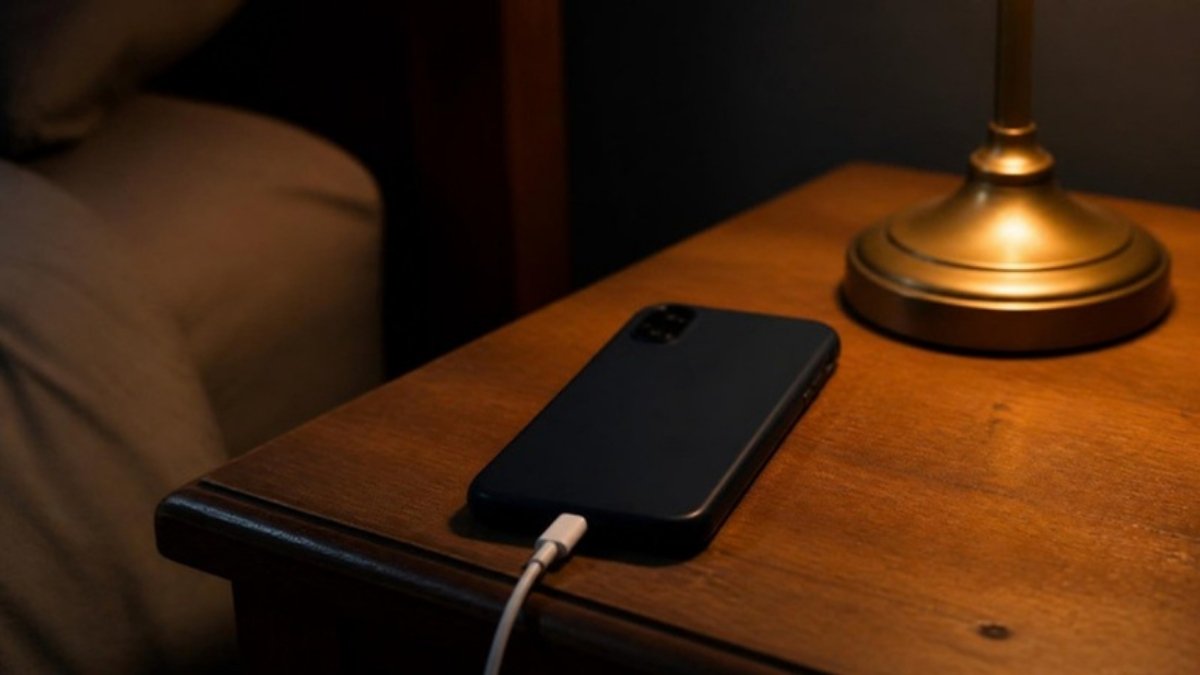
Short answer: no, in the sense people mean. A modern phone stops drawing charge at full and cannot be overcharged by being left plugged in. But the battery does age faster while it sits full and warm, and an overnight charge leaves it full for six or seven hours, often under a pillow or on a soft surface where it runs warm. The manufacturers' optimised-charging features exist precisely to fix this, by holding the battery at about 80% until shortly before you wake. Turn that on and overnight charging is close to the best thing you can do for the battery. Leave it off and it is a mild, steady tax.
The rest of the folklore, closing apps, Bluetooth, dark mode, restarting, airplane mode, varies from "true under narrow conditions" to "not measurable". Here is each one against what has actually been measured.
What actually ages a lithium-ion battery
Two things, and the research literature is unusually consistent about them.
Time spent at high state of charge. Batteries age even when they are not being used; the field calls this calendar ageing. Keil and colleagues (2016) stored lithium-ion cells at different charge levels for months and measured capacity loss. Cells held at high state of charge lost capacity substantially faster than cells held around the middle, and the relationship was not linear: the last part of the charge range was disproportionately costly. Ecker and colleagues (2014) found the same in a separate cell chemistry, with calendar ageing accelerating at high voltage and high temperature.
Heat. Waldmann and colleagues (2014) took cells apart after ageing them at different temperatures. Above roughly room temperature the dominant mechanism was growth of the passivation layer on the anode, which consumes lithium and reduces capacity, and the rate rose steeply with temperature. Below room temperature a different mechanism, lithium plating, took over during charging. The practical reading is that the battery is happiest charging at a comfortable room temperature and unhappiest charging while hot.
Everything below follows from those two facts.
| Practice | Effect on battery life | What the evidence says |
|---|---|---|
| Charging overnight, optimised charging on | Small, positive | Battery reaches 100% only just before use; most of the night is at ~80% |
| Charging overnight, optimised charging off | Small, negative | Six to eight hours at 100%, often warm |
| Charging to 100% before every use | Negative over years | High state of charge is the main calendar-ageing driver |
| Keeping it between 20% and 80% | Positive | Reduces both high-voltage time and deep-discharge stress |
| Charging under a pillow, in a case, in the sun | Negative | Heat is the other main driver |
| Fast charging | Slightly negative, mostly via heat | Modern controllers throttle; the warmth is the cost |
| Letting it drain to 0% regularly | Negative | Deep discharge is a stressor; the "calibration" advice is from nickel batteries |
Belief 1: overnight charging overcharges the battery
False, with a real effect hiding behind it. Charging circuitry cuts current at full and trickles only as needed. What is true is the calendar-ageing point above: the phone then sits at 100% for the rest of the night. Over a year, that is around 2,000 hours at the state of charge the studies identify as most damaging.
The fix is already in the phone. iOS calls it Optimized Battery Charging; Android manufacturers use names like Adaptive Charging or Battery Protection. The phone learns when you unplug and holds at about 80% until an hour or so before, then finishes. With that on, overnight charging is the gentlest charge pattern available, because the slow final segment happens at a cool, idle time.
Belief 2: you should not charge to 100%
True for longevity, irrelevant for most people's actual constraint. The 80% cap that several phones now offer as a setting reduces calendar ageing meaningfully. The cost is 20% less range every day, for a benefit that shows up as perhaps a few percentage points of capacity after two or three years. If you keep phones for four years and rarely need the full charge, the cap is a good trade. If you need the range or replace the phone every two years, it is not, and there is nothing wrong with charging fully.
The honest summary is that the setting is a preference about which you want to spend: daily range or eventual capacity. It is not a matter of damage in the way it is usually described.
Belief 3: closing background apps saves battery
Mostly false, and sometimes backwards. Modern operating systems freeze background apps; they are held in memory using no processor time. Swiping them away forces a full reload from storage when you reopen them, which costs more energy than leaving them suspended. The exception is an app that is actively doing something in the background, navigation, audio, a fitness tracker logging a workout, which is visible in the battery usage screen and is a decision, not a leak.
This one has no controlled study behind it because it does not need one: it is a description of how the schedulers work, which both major platforms have documented for years. Battery usage data in the settings screen is the tool for finding the real culprit.
Belief 4: Bluetooth drains the battery
Negligible on any phone made in the last decade, unless something is actively connected. Bluetooth Low Energy, which is what a phone uses for scanning and for keeping a watch or earbuds paired, is designed to sip power in the milliwatt range. Leaving it on with nothing connected costs on the order of a percent a day. Streaming audio to earbuds all day costs something real, but that is the audio, not the radio being on.
This belief is a survivor from early Bluetooth, which was a different protocol with a different power budget. Turning it off to save battery today mostly costs you the convenience of things connecting automatically.
Belief 5: dark mode saves battery
True on OLED screens at high brightness, and roughly a rounding error at normal brightness. This one has been measured properly. Dash and Hu (2021) at Purdue built a display power profiler for OLED phones and tested six popular apps on four devices in light and dark mode. At the 30 to 50% brightness most people use indoors, switching to dark mode saved 3 to 9% of the power the display drew. At 100% brightness, the saving was 39 to 47%.
So dark mode is a genuine battery tool in bright sunlight with the screen at maximum, and close to nothing on the sofa. On an LCD screen it saves nothing at all, because the backlight is on regardless of what the pixels show. Whether dark mode is better for your eyes is a separate question, and the reading research points the other way.
Switching from light to dark mode at 30–50% brightness saves 3–9% of power on average; at 100% brightness the saving rises to 39–47%.
Dash & Hu, MobiSys, 2021 — summarised from the study's findings
Belief 6: you should restart your phone regularly
True, but not for the battery. A restart clears memory leaks and misbehaving processes, which can occasionally fix a phone that is running hot or draining unusually fast. Its main documented value is security: the US National Security Agency's mobile device guidance recommends turning the device off and on weekly, because a reboot removes a class of malware that lives only in memory. Neither of those is a battery-chemistry effect, and a phone that is behaving normally gains nothing battery-wise from a scheduled restart.
And airplane mode
Charges faster, by a small margin, for an obvious reason. With the radios off the phone draws less power while charging, so a slightly larger share of the incoming current reaches the battery. The difference is a few minutes on a full charge. It is real and it is not worth missing messages for.
The settings that actually help
Optimised or adaptive charging: on. This is the single change that converts overnight charging from a mild negative into a positive.
Charge somewhere cool, out of the case if it runs hot. Not under a pillow, not in direct sun, not on the dashboard. Heat is the second ageing driver and the one you can see and feel.
80% cap: optional. Worth it if you keep phones for years and rarely need full range. Not worth it if you need the range.
Do not run it to zero for "calibration". Deep discharge is a stressor. The advice is inherited from nickel-cadmium batteries and does not apply.
Dark mode for battery only in sunlight on an OLED. For everything else, it is a visual preference.
Leave Bluetooth on. Leave apps suspended. Restart weekly for security. None of these are battery decisions.
Check the battery health screen once a year, not once a week. Capacity below about 80% of original is the usual replacement point. Watching it daily produces anxiety and no information.
What a battery actually costs to run
For completeness, since the question is often really about money: a full phone charge is roughly 10 to 20 watt-hours, which at ordinary residential rates is a fraction of a cent. Charging every night for a year costs about a dollar. There is no electricity-bill argument for any of the above; the household appliances that matter for the bill draw hundreds of times more.
Questions people ask
Is it bad to charge your phone overnight? Not in itself. The phone stops charging at full and cannot be overcharged. What ages the battery is time spent at 100% and warm, which an overnight charge produces unless optimised charging is on. With that feature enabled, overnight is one of the gentler ways to charge.
Does charging overnight ruin the battery? No. It contributes a small, steady amount of calendar ageing if the phone sits at 100% for hours, especially if it is warm. Over years this is a few percentage points of capacity, not a ruined battery.
Should I charge my phone to 100%? It is fine to. Holding at 100% ages the battery faster than holding at 80%, so an 80% cap extends lifespan at the cost of 20% daily range. Which you prefer is a trade-off, not a safety issue.
Does dark mode save battery? On OLED screens, yes: about 3 to 9% of display power at typical indoor brightness and 39 to 47% at full brightness. On LCD screens it saves nothing.
Does Bluetooth drain battery? Not meaningfully. Bluetooth Low Energy idles at milliwatts. Actively streaming audio uses power, but that is the audio, not the radio being enabled.
Does closing apps save battery? Usually not. Suspended apps use no processor time; reopening one you closed costs more energy than resuming it. Apps that are genuinely working in the background show up in the battery usage screen.
How often should I restart my phone? Weekly is the cadence recommended in the US NSA's mobile device guidance, for security rather than battery: a reboot clears memory-resident malware. It does not extend battery life.
Does airplane mode charge faster? Slightly, because the radios are off and the phone draws less while charging. The difference is minutes.
Is fast charging bad for the battery? Somewhat, mainly through the heat it generates. Modern phones throttle fast charging as the battery fills, which limits the effect. Charging somewhere cool matters more than which charger you use.
What temperature is bad for a phone battery? Charging while hot, above roughly 35°C, accelerates the main ageing mechanism; charging while cold, below about 0°C, causes a different kind of damage. Room temperature is the target for charging.
This article covers consumer battery chemistry for general information. If a battery is swollen, very hot to the touch or the phone shuts down unexpectedly at moderate charge levels, stop using it and have it inspected.
References
- Keil, P., Schuster, S.F., Wilhelm, J., et al. (2016). Calendar Aging of Lithium-Ion Batteries: I. Impact of the Graphite Anode on Capacity Fade. Journal of The Electrochemical Society, 163(9), A1872–A1880. doi:10.1149/2.0411609jes
- Ecker, M., Nieto, N., Käbitz, S., et al. (2014). Calendar and cycle life study of Li(NiMnCo)O2-based 18650 lithium-ion batteries. Journal of Power Sources, 248, 839–851. doi:10.1016/j.jpowsour.2013.09.143
- Waldmann, T., Wilka, M., Kasper, M., Fleischhammer, M., & Wohlfahrt-Mehrens, M. (2014). Temperature dependent ageing mechanisms in Lithium-ion batteries – A Post-Mortem study. Journal of Power Sources, 262, 129–135. doi:10.1016/j.jpowsour.2014.03.112
- Dash, P., & Hu, Y.C. (2021). How much battery does dark mode save? An accurate OLED display power profiler for modern smartphones. Proceedings of the 19th Annual International Conference on Mobile Systems, Applications, and Services (MobiSys ’21), 323–335. doi:10.1145/3458864.3467682
- National Security Agency (2020). Mobile Device Best Practices. media.defense.gov
The weekly readout
One email each Thursday: what we tested, which claim collapsed under a closer look, and the one number worth paying attention to.